Running a Real-Time Survey
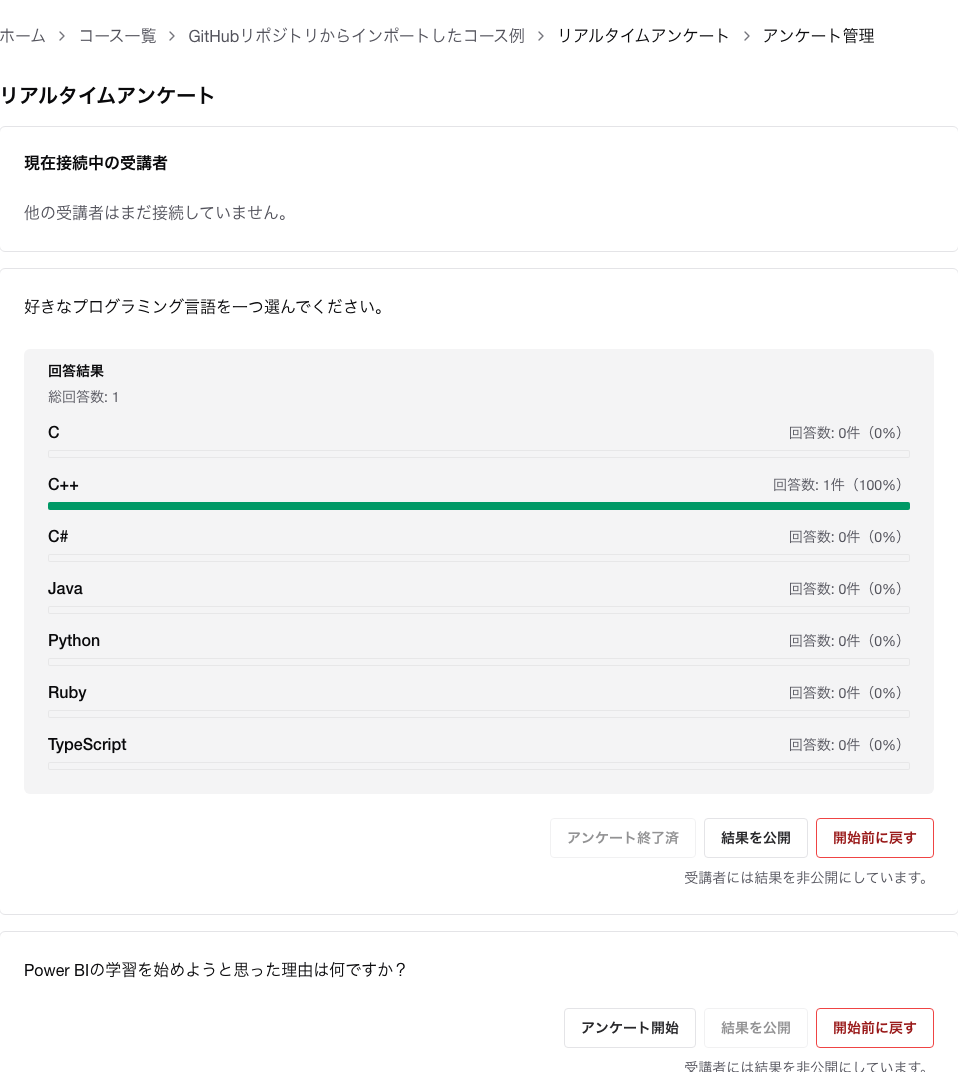
With real-time survey-enabled materials, you can check connected participants, start and end questions, and toggle the result display.
Permissions Required to Operate
- Instructors who can run the course
Prerequisites
Real-time survey is enabled for the target material- The material contains questions to be surveyed
What You Can Do
- Check connected participants
- Start accepting answers for each question
- Stop accepting answers
- Display results to students
- Reset the state and start over
Workflow on the Screen
- Open the management screen for the target material.
- Check the number of connected users and the participant list.
- For the target question, press
Start to begin accepting answers.
- Press
End when needed.
- If you want students to see the results as well, enable the result display.
- If you want to run it again, use
Reset.
Notes
- The result display is toggled after answers begin being accepted.
- If results are hidden, students cannot see the aggregated results.
- When you reset, the start/end/result display states are temporarily returned to their initial state.
Related Pages
